Lesson
CSS selectors
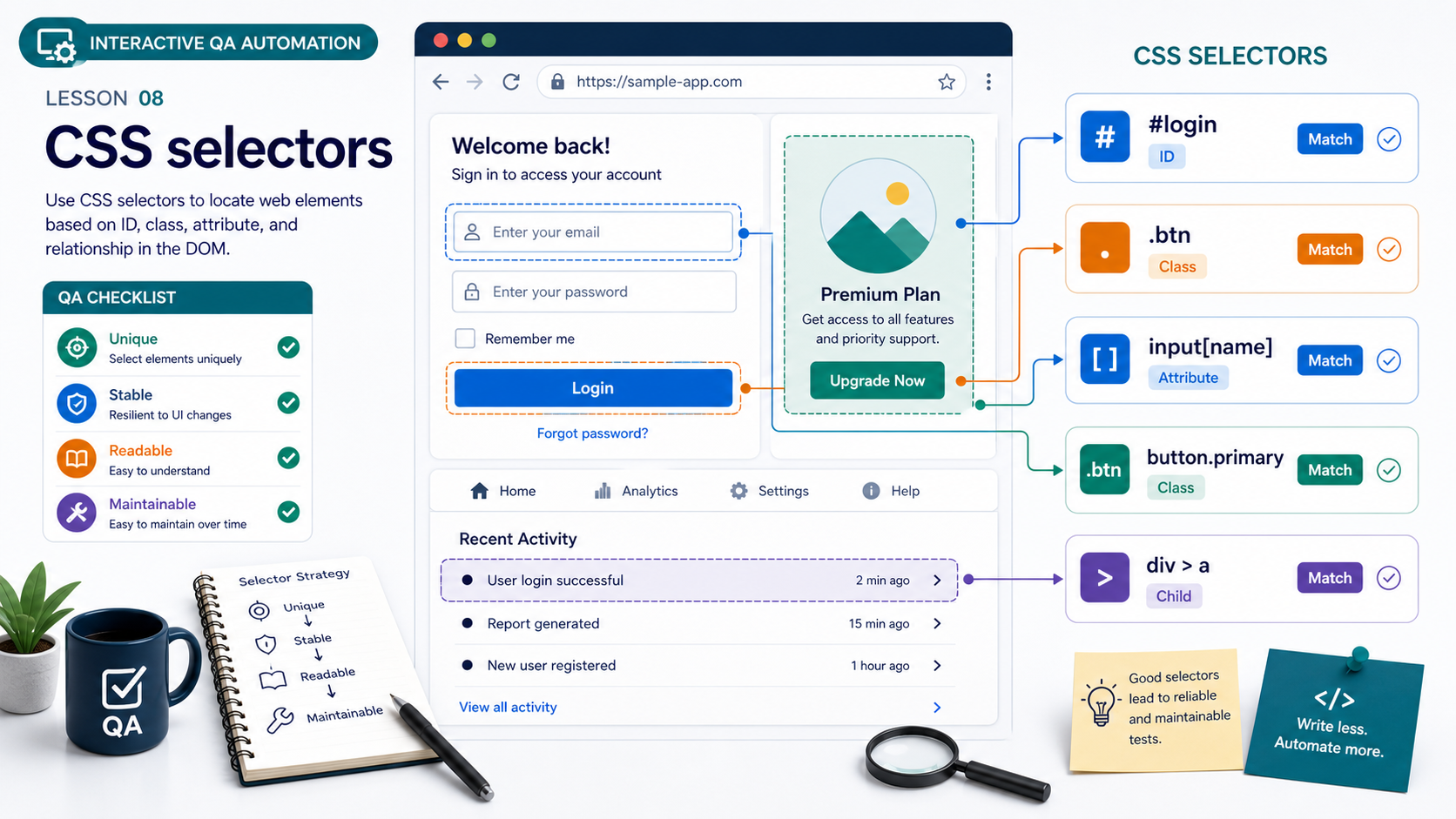
Understand the web page structure and selectors used by browser automation tools.
Learning goals
Understand the concept, identify where it is used, and apply it in a practical QA task.
Theory explanation
CSS selectors is an essential QA topic. In real teams, QA engineers use it to reduce product risk and make release decisions with better evidence.
Key terms
quality, risk, requirement, expected result, actual result, evidence
Real-world example
A team releases a checkout page. QA checks critical flows, documents issues, and helps the team understand release risk.
Step-by-step explanation
Read the requirement, identify risk, design checks, execute tests, document results, communicate findings.
Common mistakes
Testing without clear expected results, skipping edge cases, and writing vague bug reports.
Practical use case
Create a small QA artifact for a login or checkout flow.
Summary
Use CSS selectors to make testing structured, clear, and useful for the whole team.
Slides
Slide 1
CSS selectors: Slide 1
Key point 1: apply CSS selectors through examples and practice.
Slide 2
CSS selectors: Slide 2
Key point 2: apply CSS selectors through examples and practice.
Slide 3
CSS selectors: Slide 3
Key point 3: apply CSS selectors through examples and practice.
Slide 4
CSS selectors: Slide 4
Key point 4: apply CSS selectors through examples and practice.

Slide 5
CSS selectors: Slide 5
Key point 5: apply CSS selectors through examples and practice.
Examples
Real QA example
A team releases a checkout page. QA checks critical flows, documents issues, and helps the team understand release risk.
Interactive Practice
analysis
Your task
Review a short requirement and identify one testing risk related to CSS selectors.
Expected answer guide
A clear risk with a matching test idea.